
Reviewed: 8 October 2026 · Practical SEO troubleshooting for Indian small businesses
Why is your small business website not ranking on Google? Usually, one of four things is happening: Google cannot access or index the right pages; the pages do not answer the searches customers make; competing results provide more useful evidence; or people see your listing but do not choose it. The fix starts by identifying which problem you actually have.
A website can look professional and still receive little search traffic. But a low ranking is not automatically a technical fault, and adding keywords to every paragraph is rarely the solution. This guide shows how to diagnose the issue with Google Search Console, improve content and website experience, and prioritise changes that may help customers find and use your site.
| What you see | Check first |
|---|---|
| Your page is absent from Google | URL Inspection, indexing status, robots and canonical |
| Indexed, but almost no impressions | Search intent, topic demand and internal links |
| Impressions, but few clicks | Query relevance, title, snippet and position |
| Clicks, but few enquiries | Page clarity, proof, mobile UX, CTA and tracking |
1. Check whether Google can access and index your website
First, distinguish not indexed from indexed but not ranking well. Google must discover and crawl a URL before it can evaluate it for indexing, but indexing itself does not guarantee search visibility.
Use Google Search Console in this order
- Open Google Search Console and select the correct verified website property.
- Paste the exact service-page URL into URL Inspection. Review whether the URL is indexed, its Google-selected canonical, and any crawl or indexing messages.
- Open Indexing → Pages. Look for excluded URLs that should be searchable. A deliberately excluded cart, account page or duplicate URL is not automatically a problem.
- Review Performance → Search results and filter by page. Compare queries, impressions, clicks and average position over a meaningful period.
- Check Security & Manual Actions if visibility has dropped suddenly or you suspect a serious site issue.
If the URL is excluded, inspect the cause before requesting indexing. Common examples are an accidental noindex directive, a canonical pointing to another page, a redirect, a server error, a blocked resource, or a page that Google considers a duplicate. An XML sitemap helps discovery, but it does not force indexing.
Useful reference: Google’s How Search Works guide explains crawling, indexing and serving results separately.
2. Your pages may target the wrong keywords or search intent
Imagine a Jaipur clinic that has only a homepage titled “Welcome to Our Clinic”. Potential patients may search for a particular treatment, location, opening hours or appointment process. If the website does not have a useful page answering that need, it is unlikely to be the strongest result for those queries.
Map each important customer question to the page that should answer it. Commercial queries such as “website development company in Jaipur” generally need a credible service page with scope, proof and an enquiry route. Informational queries such as “why is my website not ranking on Google” need an explanatory guide with diagnostic steps. Do not force both intents into one generic page.
| Search example | Likely intent | Best page approach |
|---|---|---|
| “dentist near me” | Local service | Practice page + accurate local information |
| “website design cost in India” | Price research | Cost guide with scope and comparison |
| “hire WordPress developer” | Commercial | Specific service page, deliverables and contact CTA |
Use Search Console queries to identify terms where your page already earns impressions. Expand sections only when they fit the same topic. If two pages serve the same query and user need, decide which should be the main page and make the other genuinely distinct or consolidate it after reviewing performance.
For a broader strategy, see VYLINO’s SEO services and keyword mapping approach.
3. Thin, generic or repetitive content may not satisfy customers
Length alone does not determine quality. A short contact page can be perfectly useful; a 2,000-word service page can still be vague. The question is whether a visitor can understand your offer, judge suitability and decide what to do next.
Improve the information people actually need
- Explain the service: what is included, who it is for and what is outside scope.
- Answer practical questions: process, timelines, prerequisites, locations, costs or pricing factors where appropriate.
- Add real evidence: original project examples, useful screenshots, credentials and reviews that can be verified.
- Remove filler: repeated promises such as “best quality at affordable price” do not help a customer compare options.
- Give every page a purpose: a location page needs local usefulness, not only a city name inserted into generic copy.
Do not invent project counts, conversion improvements, customer testimonials or Google ranking guarantees. If a claim cannot be supported, use a transparent explanation of the process instead. Review old posts for outdated statistics and unsupported percentages before reusing them.
For an SEO-focused website refresh, make titles and headings descriptive, write a helpful opening answer, use real examples and link to the relevant service page only where the reader benefits. Google provides more detail in its SEO Starter Guide.
4. Fix technical barriers before chasing more backlinks
A useful page cannot perform consistently if visitors or crawlers repeatedly encounter errors. Review important URLs for status codes, redirect chains, duplicate canonical targets, accidental indexing blocks, mobile layout problems and missing internal links. If you recently redesigned the site, verify that valuable old URLs redirect to the most relevant replacements.
Check mobile usability and speed without overreacting to one score
Test a representative homepage, service page and enquiry page. Use PageSpeed Insights to understand likely bottlenecks, then check the real journey on a phone. Watch for oversized hero images, scripts that delay interaction, text too small to read, menus that cover content, and buttons that are difficult to tap.
Core Web Vitals include Largest Contentful Paint, Interaction to Next Paint and Cumulative Layout Shift. They help describe loading, responsiveness and visual stability, but a single lab score is not a promise of ranking improvement. See the Web Vitals guidance and VYLINO’s WordPress speed optimisation guide.
Important: Do not remove a functioning form, tracking script or checkout component just to improve a score. Re-test enquiry delivery and other business-critical actions after every technical change.
Need a prioritised diagnosis?
VYLINO can review your website’s search visibility, technical foundation, content, mobile usability and enquiry journey, then explain which fixes matter first. Start with the website audit service or share your website URL and symptoms.
5. Local businesses also need clear location signals
If your customers search for a service in a specific city, your website and Google Business Profile should provide consistent, accurate information. Keep the business name, address or service area, phone number, opening hours and relevant categories up to date.
Explain which areas you genuinely serve and what customers can expect. Add real photographs, appropriate services and reviews obtained through normal customer interactions. A business serving multiple cities should not create dozens of near-identical location pages solely to capture keywords.
Remember that local map results and ordinary organic results are different surfaces. A weak map listing is not always caused by the same issue as a poorly ranked website page. Investigate each separately.
6. Improve internal links and earn legitimate external references
Links help people discover useful information and help search engines understand relationships between pages. Start with links you control: connect your homepage, important services, related guides and relevant location pages with clear anchor text. Avoid making every anchor an exact-match keyword.
External links can add context and discovery, but buying bulk backlinks, running excessive link exchanges or placing unrelated guest posts purely to manipulate rankings can violate Google’s spam policies. A stronger approach is to publish useful resources, contribute genuinely relevant expertise and earn editorial references that have a reason to exist for readers.
For deeper background, read VYLINO’s high-quality backlink guide. For link scheme boundaries, consult Google’s link-spam policy.
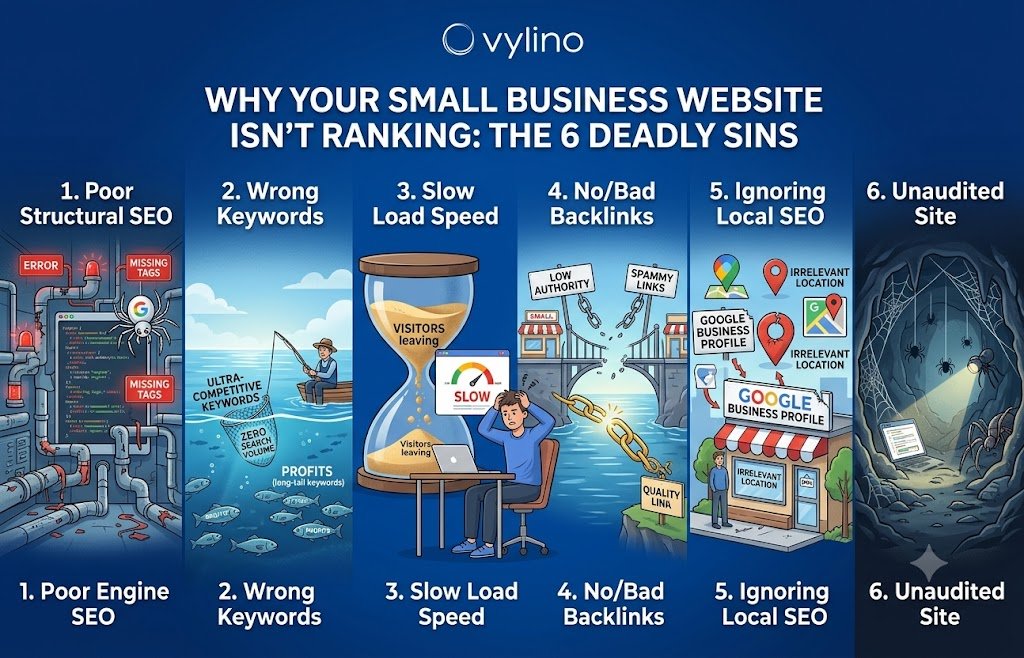
7. A realistic 30-day plan to investigate low Google rankings
| When | Work | Evidence to keep |
|---|---|---|
| Week 1 | Check Search Console, indexability, redirects and top landing pages | Baseline queries, screenshots and affected URLs |
| Week 2 | Map primary search intent; improve two important service pages | Before/after titles, headings and content changes |
| Week 3 | Fix mobile UX, forms, internal links and technical issues | Test results and working enquiry flow |
| Week 4 | Review local information, publish a genuinely useful resource, monitor | New query data, enquiries and next priorities |
This is a work plan, not a promise of first-page rankings in 30 days. Search engines may take time to revisit changes, and outcomes depend on competition, content quality, site history and demand. Compare equivalent time periods and monitor qualified enquiries as well as clicks.
Frequently asked questions
Why is my website not showing on Google even though it is live?
A live website is not necessarily indexed. Inspect the exact URL in Google Search Console. Check for a noindex directive, redirects, canonicalisation, crawl errors and whether Google has discovered the page.
How long does it take a new business website to rank?
There is no fixed timeline. Discovery and indexing can happen sooner than competitive ranking. Topic demand, competition, site history, page quality and authority all affect progress. Google does not guarantee indexing or a particular position.
Will adding more keywords fix low rankings?
Not by itself. Choose a distinct search intent for each important page, answer the customer’s questions clearly, and use natural wording. Repeating the same keyword excessively can make the page less helpful.
Is a low PageSpeed score the main reason for poor rankings?
Not necessarily. Performance matters to users, but a slow page may also have a relevance or indexing problem. Review the full experience and fix measured bottlenecks without breaking forms or essential functions.
Do small businesses need backlinks?
Relevant external mentions can be useful, but they do not replace indexable pages, helpful content or good internal links. Avoid bulk link schemes and prioritise editorial relevance over arbitrary link counts.
Should I redesign my website or improve the existing pages?
Start with evidence. If the main issue is unclear content, poor page targeting or broken links, targeted improvements may be enough. A redesign is more appropriate when the navigation, platform or conversion journey cannot be repaired efficiently. Preserve valuable URLs or plan redirects carefully.
What to do next
Begin with one important page, not a site-wide rewrite. Confirm its indexing status, identify the queries it should serve, improve its usefulness, and verify that a visitor can contact you without friction. Then measure the result and move to the next priority.
For more detail, explore how to measure SEO performance, SEO services, or website development when the underlying site needs work.
A useful next step
Know what is holding your website back.
Send VYLINO your website URL, your main service and the issue you are seeing. We can discuss the right audit depth and a practical improvement plan.
Prepared for VYLINO’s business audience. Reviewed 8 October 2026. Guidance is educational; search visibility and results vary by website.