
Dynamic vs Static Websites: Complete Developer Guide 2025
When you’re planning to build a website, one of the most fundamental decisions you’ll make is choosing between a dynamic or static website. This choice affects everything from your development costs and timeline to your site’s functionality, scalability, and long-term maintenance requirements. Many business owners don’t even realize this decision exists, yet it fundamentally shapes their entire web presence.
This comprehensive guide explains the difference between dynamic and static websites, examines when to use each approach, and helps you make the right choice for your specific business needs.
What is a Static Website?
A static website is the simpler, more straightforward approach to web development. A static website displays the same content to every visitor, every time. The HTML files remain unchanged unless you manually edit and republish them.
Think of a static website like a brochure. Just as a printed brochure shows the same information to every person who reads it, a static website displays identical content regardless of who visits or when they visit.
How Static Websites Work
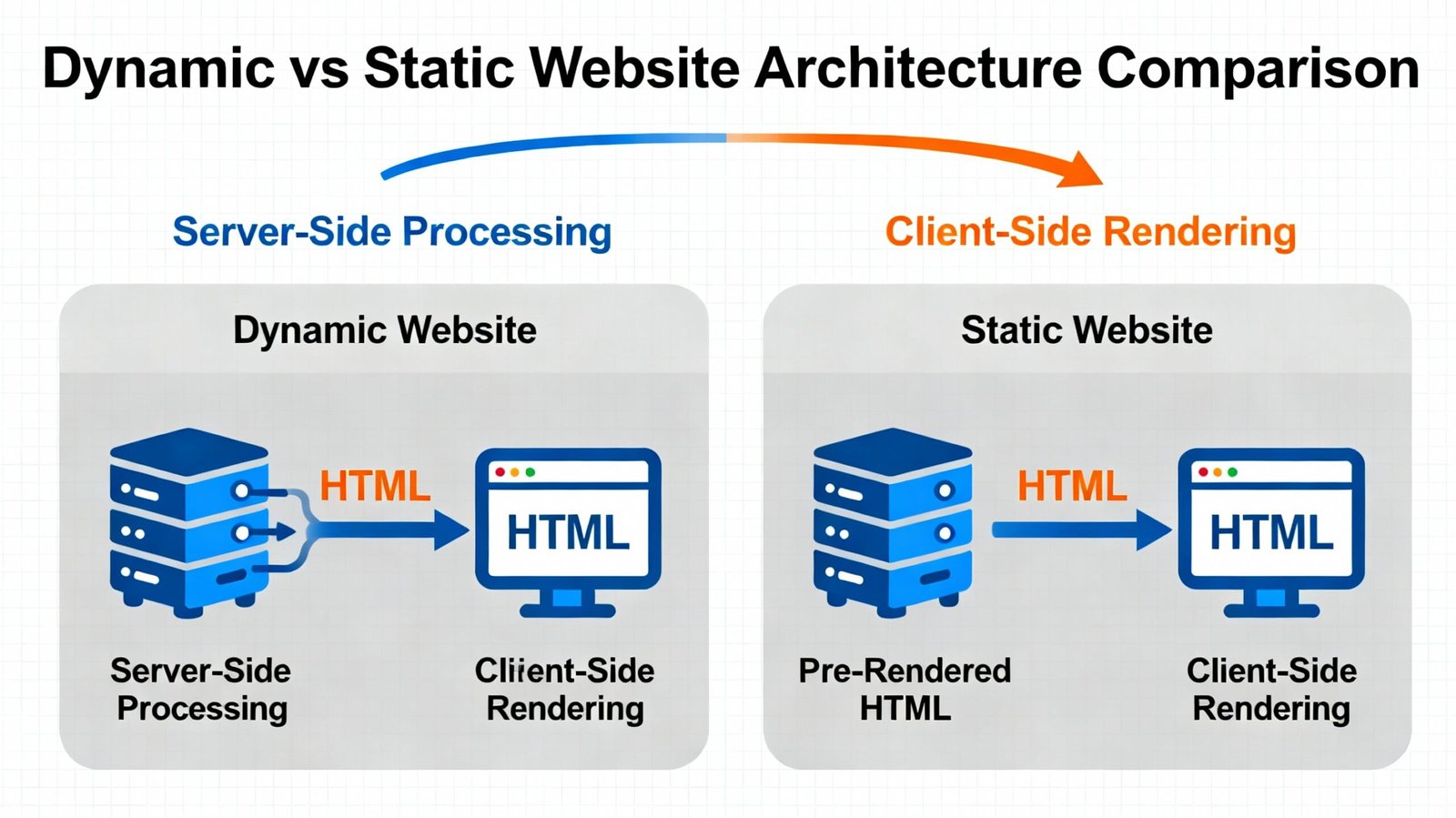
When a visitor requests a page on a static website, the server simply retrieves the corresponding HTML file and sends it to the visitor’s browser. There’s no processing, no database queries, no customization. The server does minimal work—it just delivers the pre-built HTML file.
For example, when you visit a static website’s about page, you’re downloading the “about.html” file that was created weeks or months ago. Every visitor sees the exact same about page, with the exact same content, layout, and styling.
Static Website Technologies
Static websites typically use:
HTML (HyperText Markup Language) – The fundamental building block defining the structure and content of web pages.
CSS (Cascading Style Sheets) – Handles styling, colors, fonts, layout, and visual presentation.
JavaScript – Adds interactivity on the client-side (in the browser), enabling animations, form validation, and dynamic user interactions without server involvement.
Static websites are built with these three technologies and require no server-side programming language or database.
Static Website Examples
Common static website examples include personal blogs, brochure websites, portfolio sites, documentation sites, landing pages, and informational websites where content rarely changes.
What is a Dynamic Website?
A dynamic website is more sophisticated. Dynamic websites generate different content for different visitors based on various factors. The same URL might display different content depending on the logged-in user, the data in the database, or parameters passed to the server.
Dynamic websites process requests on the server before sending responses to visitors. This server-side processing enables personalization, real-time data, and sophisticated functionality impossible on static sites.
How Dynamic Websites Work
When a visitor requests a page on a dynamic website, several things happen:
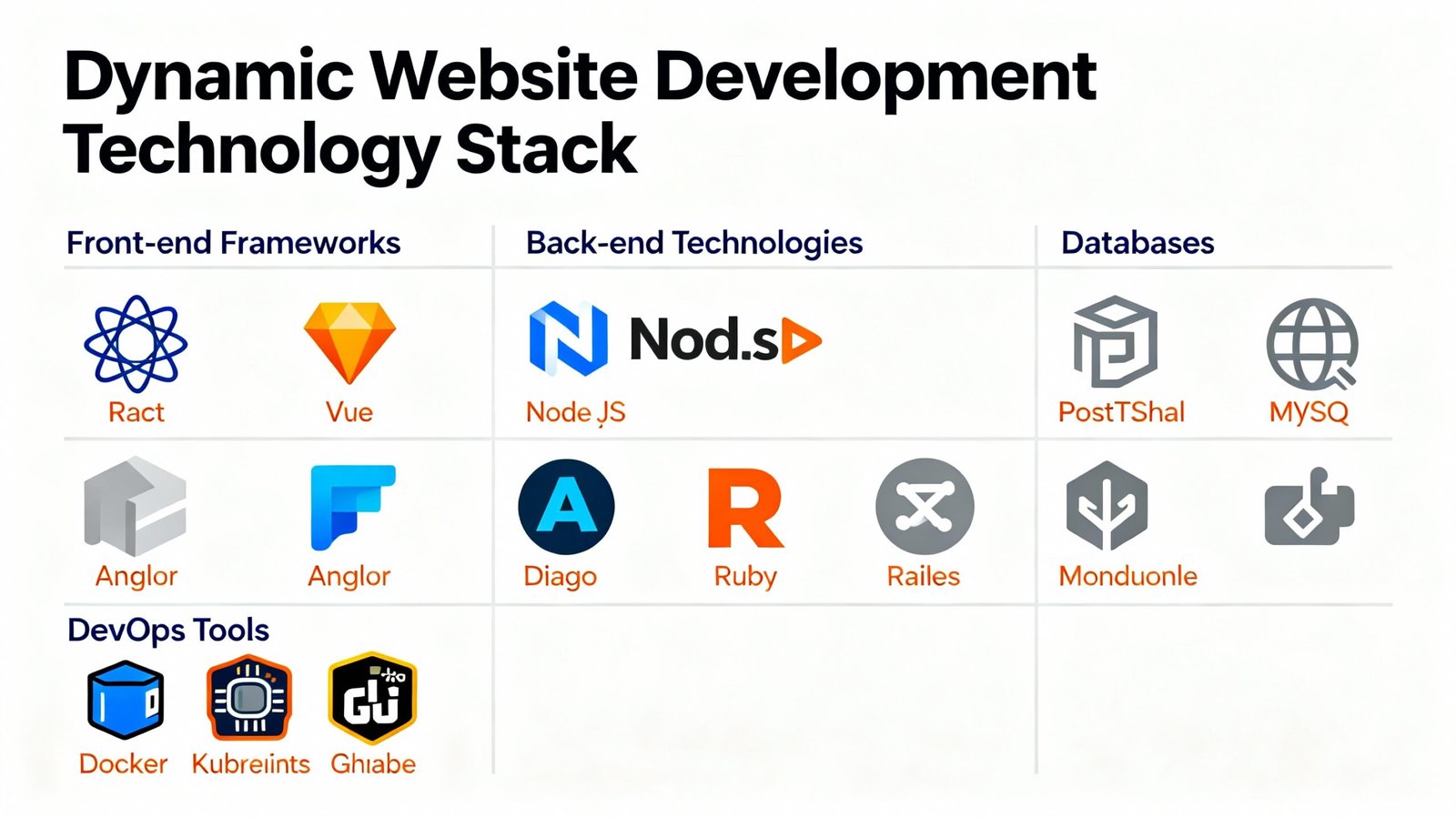
First, the server receives the request. Instead of simply retrieving an HTML file, the server processes the request using server-side code (like PHP, Python, Node.js, or other languages).
Second, the code might query a database to retrieve information. For example, a blog post page might query the database to retrieve the specific blog post based on which blog post the visitor requested.
Third, the server processes the information, applies business logic, and generates an HTML response customized for that specific request.
Finally, the server sends the dynamically generated HTML to the visitor’s browser.
This entire process happens in milliseconds, creating a seamless experience where content appears personalized and up-to-date.
Dynamic Website Technologies
Dynamic websites use:
Server-Side Languages:
-
PHP – Powers WordPress and thousands of websites
-
Python – Used by Django and Flask frameworks
-
Node.js – JavaScript running on the server
-
Ruby – Used by Ruby on Rails framework
-
Java – Enterprise-scale applications
-
ASP.NET – Microsoft’s server-side framework
Databases:
-
MySQL – Open-source relational database
-
PostgreSQL – Advanced open-source database
-
MongoDB – NoSQL document database
-
SQL Server – Enterprise database platform
Frameworks:
-
WordPress – PHP-based content management system
-
Django – Python web framework
-
Laravel – PHP framework
-
Node.js Express – JavaScript framework
-
Ruby on Rails – Ruby framework
Dynamic websites combine server-side code, databases, and client-side technologies to create sophisticated web applications.
Key Differences: Dynamic vs Static Websites
Understanding the practical differences helps clarify when to use each approach.
| Feature | Static Website | Dynamic Website |
|---|---|---|
| Content Display | Same for all visitors | Customized per visitor |
| Database Required | No | Yes (typically) |
| Development Time | Fast | Slower |
| Development Cost | Lower | Higher |
| Maintenance | Manual (edit files) | Automated (edit in CMS) |
| Scalability | Limited | Excellent |
| User Interaction | Limited | Full-featured |
| SEO | Good | Requires optimization |
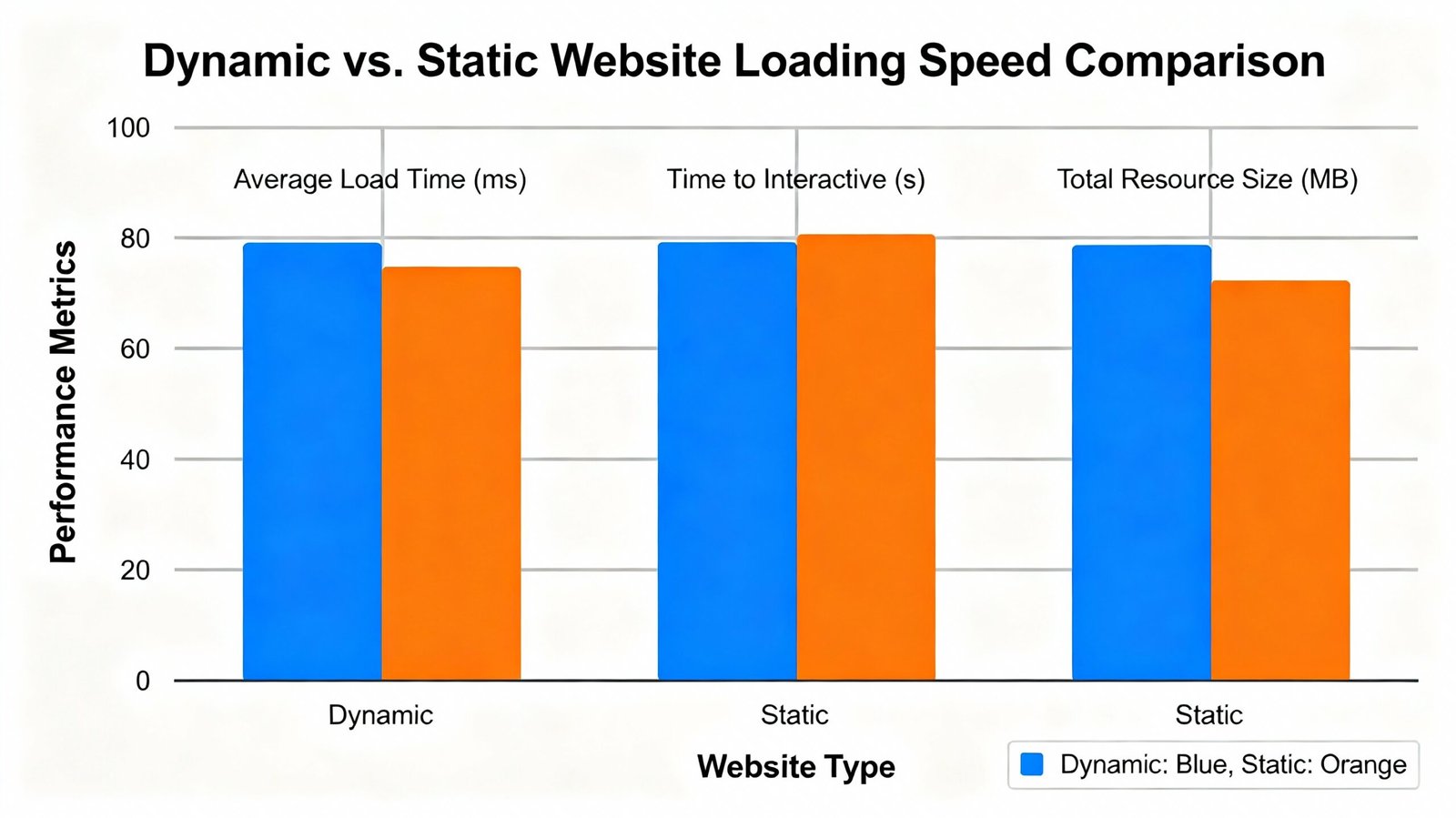
| Loading Speed | Very fast | Slower (with optimization) |
| Real-Time Updates | Manual | Automatic |
| Content Management | Requires coding | CMS interface |
| Multi-User Support | No | Yes |
| E-commerce | Limited | Full support |
| Login/Registration | No | Yes |
| Best For | Brochures, portfolios | Apps, blogs, stores |
Static Websites: Advantages and Disadvantages
Static Website Advantages
Extreme Speed – Static websites are lightning-fast. Servers simply retrieve pre-built HTML files and send them to browsers. This simplicity results in minimal load times, improving user experience and search engine rankings.
Security – With no database and no complex server-side processing, there are fewer security vulnerabilities. Hackers have fewer attack vectors compared to dynamic sites with databases and custom code.
Hosting Flexibility – Static websites can run on virtually any hosting provider, including extremely cheap options. You can even host static websites on CDNs (Content Delivery Networks) for virtually free, like GitHub Pages or Netlify.
Low Hosting Costs – Because static sites demand minimal server resources, hosting is inexpensive—often $5-15 monthly or even free on specialized static hosting platforms.
Reliability – Static websites rarely crash or experience performance problems. They’re remarkably stable and consistent.
Version Control – Static website code is easily managed with version control systems like Git, enabling team collaboration and rollback to previous versions.
SEO-Friendly – Static websites are inherently SEO-friendly. Fast loading, clean code, and simple structure make them search engine favorites.
Static Website Disadvantages
Limited Functionality – Static websites can’t personalize content, process form submissions to databases, or provide login systems. Functionality is limited.
Content Management Challenges – Updating content requires editing HTML files and republishing the site. Non-technical users can’t update content independently.
Scalability Limitations – Adding hundreds of pages or handling thousands of visitors becomes cumbersome with static sites.
No Real-Time Data – You can’t display real-time information like stock prices, inventory levels, or live comments without JavaScript-based client-side solutions.
Limited User Interaction – Complex user interactions, personalization, and account management are impossible without server-side processing.
Difficult Content Organization – Managing hundreds of individual HTML files becomes chaotic and error-prone.
Dynamic Websites: Advantages and Disadvantages
Dynamic Website Advantages
Unlimited Functionality – Dynamic websites support virtually any feature you can imagine. User accounts, personalization, real-time data, complex workflows—all are possible.
Easy Content Management – Content management systems (CMS) like WordPress enable non-technical users to publish content through intuitive interfaces. Editors create content without touching code.
Personalization – Different users see different content based on their preferences, history, or profile. This personalization increases engagement and conversions.
Real-Time Updates – Content updates automatically across your entire site. Change a product price in the database, and it updates everywhere instantly.
Scalability – Dynamic websites scale from small sites to massive applications handling millions of users. Your infrastructure grows with your business.
Database-Powered – Storing, organizing, and retrieving vast amounts of data is straightforward with databases. This enables features like search, filtering, and complex queries.
Multi-User Management – Support thousands of users with different roles, permissions, and experiences. Each user’s interaction is tracked and customized.
E-commerce Capabilities – Dynamic sites enable sophisticated shopping carts, payment processing, inventory management, and order tracking.
Integration Possibilities – Dynamic sites easily integrate with third-party services—payment processors, email platforms, APIs, and external data sources.
Content Versioning – Track changes, maintain revision history, and rollback to previous versions through the CMS.
Dynamic Website Disadvantages
Slower Loading Speed – Dynamic processing takes time. Even well-optimized dynamic sites are slower than static sites. Every page view requires database queries and server processing.
Higher Development Cost – Building dynamic sites requires skilled developers, databases setup, and more complex architecture. Development costs are substantially higher than static sites.
More Complex Hosting – Dynamic sites require hosting that supports server-side languages and databases. This eliminates cheap hosting options and requires more sophisticated hosting providers.
Higher Hosting Costs – More demanding hosting requirements result in higher monthly costs, typically $15-100+ monthly depending on traffic and features.
Security Complexity – Databases, user authentication, and custom code introduce security vulnerabilities. More complexity means more potential security issues if not properly implemented.
Maintenance Requirements – You must keep server software, plugins, frameworks, and databases updated. Neglecting maintenance creates security and stability problems.
SEO Challenges – Improperly built dynamic sites may have SEO problems. Requires more careful implementation to ensure search engines properly crawl and index content.
Dependency on Server Functionality – If servers fail or aren’t properly configured, the entire site becomes inaccessible. Uptime depends on proper infrastructure management.
Ongoing Support – Dynamic sites typically require professional ongoing maintenance and support, increasing long-term costs.
When to Use Static Websites
Static websites are ideal for specific use cases:
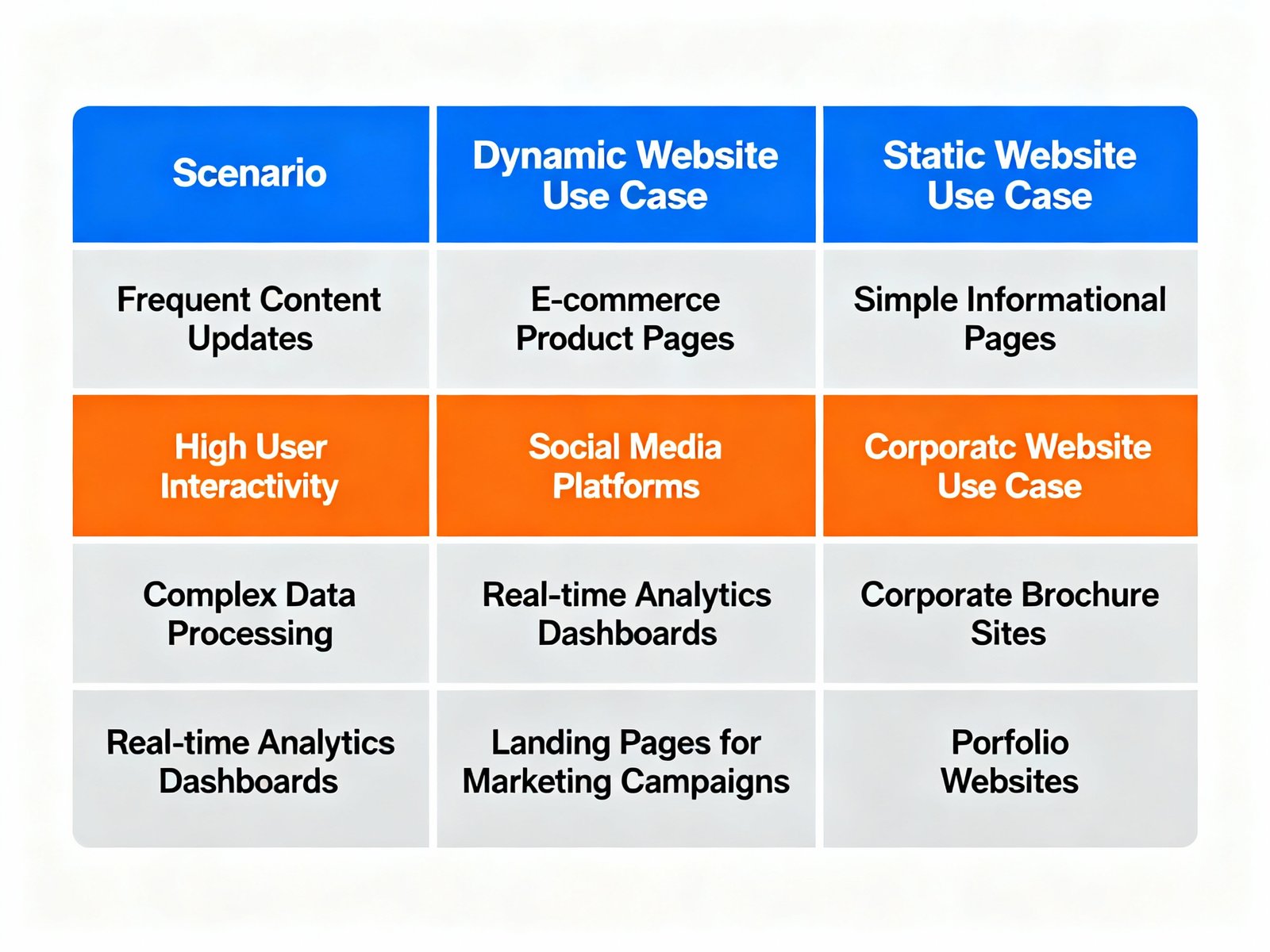
Brochure Websites – If your website’s primary purpose is providing information about your business without requiring user interaction, a static site works perfectly.
Portfolio Sites – Showcase your work without complex functionality. Portfolios prioritize visual presentation over dynamic features.
Landing Pages – Single-page or simple multi-page promotional sites benefit from static sites’ speed and simplicity.
Documentation Sites – If you’re publishing documentation that rarely changes, static sites are efficient and fast.
Blog Sites (Simple) – For personal blogs with occasional posts that don’t require advanced features, static sites work well.
Informational Websites – Sites primarily distributing information without user accounts or interaction.
Personal Websites – Resumes, biographies, or personal projects don’t need dynamic features.
Content Distributions – Publishing reports, whitepapers, or downloadable content works well on static sites.
When to Use Dynamic Websites
Dynamic websites are necessary for:
Content Management – If you need frequent content updates through a user-friendly interface, dynamic sites with CMS are essential.
User Accounts – Sites requiring user registration, login, profiles, or accounts need dynamic architecture.
E-Commerce – Selling products online requires dynamic functionality for shopping carts, payment processing, and inventory management.
Blogs (Active) – If you’re publishing frequently with comments and community features, a dynamic blog platform like WordPress is ideal.
Social Features – Sites enabling user-generated content, comments, or community interaction need dynamic architecture.
Personalization – Showing different content to different users based on their preferences requires dynamic sites.
Real-Time Data – Displaying continuously updated information requires dynamic technology.
Application-Like Functionality – Tools, calculators, booking systems, and complex workflows require dynamic sites.
Search and Filtering – If users need to search or filter large content collections, dynamic sites handle this efficiently.
Integration and Automation – Connecting with external services and automating workflows requires dynamic architecture.
The Hybrid Approach: Static Site Generators
Modern web development has introduced a middle ground: static site generators. These tools generate static HTML files while providing some dynamic site development benefits.
Static site generators like Jekyll, Hugo, Gatsby, and Next.js enable developers to write code once and generate static HTML files. During the build process, content is processed, optimized, and converted to static HTML.
This hybrid approach provides:
Performance of Static Sites – The resulting files are static, so loading speed is excellent.
Development Productivity – Developers enjoy dynamic site development benefits like templating and variables.
Security – No databases or server-side processing mean fewer security concerns.
Lower Hosting Costs – Static HTML files host cheaply on CDNs.
Flexibility – Can regenerate static files when content changes, providing near-dynamic-like functionality.
However, static site generators require technical knowledge and aren’t suitable for non-technical content creators.
Performance Comparison: Speed and Optimization
Website speed matters tremendously. Faster websites rank higher in search results and convert better.
Static Website Performance:
-
Typical page load time: 1-3 seconds
-
Minimal server processing
-
Maximum caching efficiency
-
Scales effortlessly with CDNs
-
Minimal optimization needed
Dynamic Website Performance:
-
Typical page load time: 2-5 seconds (before optimization)
-
With optimization: Can approach static speeds
-
Requires careful optimization
-
Database queries impact speed
-
Requires quality hosting and caching strategies
Well-optimized dynamic websites can approach static website speeds, but achieving this requires expertise. For Vylino’s responsive website design services, we implement advanced optimization techniques making even complex dynamic sites exceptionally fast.
Cost Comparison: Total Development Investment
Understanding total costs helps inform your decision:
Static Website Costs:
-
Development: $2,000-5,000 (or free with DIY)
-
Hosting: $5-15 monthly
-
Maintenance: Minimal
-
Total Year 1: $2,000-5,200
-
Annual maintenance: $60-180
Simple Dynamic Website (WordPress):
-
Development: $3,000-8,000 (or DIY with learning curve)
-
Hosting: $15-50 monthly
-
Themes/plugins: $0-200 annually
-
Maintenance: $0-500 annually
-
Total Year 1: $3,000-10,000+
-
Annual maintenance: $180-700+
Complex Dynamic Website (Custom):
-
Development: $10,000-50,000+
-
Hosting: $50-500+ monthly
-
Maintenance: $500-2,000+ annually
-
Total Year 1: $12,000-56,000+
-
Annual maintenance: $1,000-3,000+
Cost isn’t just about development; ongoing hosting, maintenance, and updates factor significantly. For businesses where their website is revenue-critical, investing in professional website development services delivers ROI through better performance, conversions, and scalability.
HTML Websites and Modern Development
The term “HTML website” is somewhat outdated since all websites (static or dynamic) ultimately deliver HTML to browsers. However, the term often refers to simple static HTML websites built with basic HTML, CSS, and minimal scripting.
Modern “HTML websites” typically include:
Responsive Design – Websites automatically adjust to different screen sizes and devices.
Modern CSS Frameworks – Bootstrap, Tailwind CSS, and Foundation provide ready-made components and styling.
JavaScript Interactivity – Client-side scripts add animations, form validation, and interactive elements.
Optimization Techniques – Image compression, code minification, and caching improve performance.
However, even advanced “HTML websites” are fundamentally static if they serve pre-built files without server-side processing.
For professional websites combining beauty, functionality, and modern best practices, Vylino specializes in professional web design services that leverage both static and dynamic approaches optimally.
SEO Considerations: Ranking Potential
Both static and dynamic websites can rank well if properly optimized. However, implementation details matter.
Static Website SEO Advantages:
-
Faster sites rank better (speed is confirmed ranking factor)
-
Simple structure aids crawlability
-
Static content is easily crawled and indexed
-
Less prone to technical SEO issues
Dynamic Website SEO Challenges:
-
Must ensure JavaScript content is indexed
-
Careful URL structure is essential
-
Must implement proper canonicalization
-
Database-driven content needs proper optimization
-
Requires monitoring and technical SEO expertise
Dynamic Website SEO Advantages:
-
Fresh content signals to search engines
-
Easy to implement best practices through CMS
-
Scaling content is straightforward
-
Can build content authority more easily
The reality: Both can rank equally well with proper implementation. What matters most is content quality and proper optimization, not whether the site is static or dynamic.
Migration Path: From Static to Dynamic
Many businesses start with static sites and later need dynamic functionality.
Migration Considerations:
If you choose static initially, upgrading to dynamic later requires rebuilding your site structure. URLs might change, content needs reorganization, and you may lose search ranking temporarily.
Starting with WordPress or another dynamic platform provides a path forward. As your needs grow, you scale the platform rather than migrating entirely.
Conversely, if you start with a complex dynamic site but don’t need the complexity, you’re overpaying for unnecessary features and complexity.
Best Practices for Static Website Development
If you’re building a static website, follow these practices:
Organize Content – Use clear folder structures to organize HTML files logically.
Use CSS Preprocessors – SASS or LESS reduce CSS complexity and repetition.
Implement Version Control – Use Git to track changes and enable collaboration.
Optimize Images – Compress images without losing quality; use modern formats like WebP.
Minimize Code – Minify HTML, CSS, and JavaScript to reduce file sizes.
Leverage CDNs – Distribute content through Content Delivery Networks for global performance.
Monitor Analytics – Track visitor behavior and site performance.
Test Cross-Browser – Ensure compatibility across different browsers and devices.
Best Practices for Dynamic Website Development
For dynamic websites, these practices ensure success:
Security First – Implement input validation, prepared statements, and regular security audits.
Database Optimization – Index databases properly, write efficient queries, and monitor performance.
Caching Strategy – Implement server-side and client-side caching to improve speed.
API Design – Create clean, well-documented APIs if using microservices architecture.
Content Delivery – Use CDNs for static assets to improve global performance.
Monitoring and Alerts – Set up monitoring for uptime, performance, and errors.
Regular Backups – Maintain regular backups and test restoration procedures.
Version Control – Use Git for code management and enable team collaboration.
Testing – Implement automated testing to catch bugs before production.
Documentation – Maintain thorough documentation for maintenance and future developers.
For comprehensive implementation of these best practices, professional website development services ensure your site meets industry standards and best practices.
WordPress: The Dynamic Standard
WordPress powers over 40% of the internet, making it the de facto standard for dynamic websites.
WordPress combines ease of use (non-technical users can manage content) with power (developers can extend functionality).
Why WordPress dominates:
Low Barrier to Entry – Beginners can launch WordPress sites quickly through hosts like Bluehost or SiteGround.
Content Management – The WordPress editor lets non-technical users publish content without coding.
Plugin Ecosystem – 50,000+ plugins add functionality without custom development.
Theme Variety – Thousands of professionally designed themes provide starting points.
SEO-Friendly – Built with SEO best practices; additional plugins enhance optimization.
Community Support – Massive community provides tutorials, help, and resources.
Cost-Effective – Low costs for hosting and functionality compared to custom development.
Scalability – WordPress scales from small blogs to enterprise applications.
For businesses choosing WordPress, Vylino’s custom WordPress development services ensure your site is built optimally with custom functionality, perfect performance, and professional design.
Common Mistakes to Avoid
Using Dynamic When Static Suffices – Unnecessary complexity increases costs and maintenance without benefit.
Ignoring Performance – Slow sites harm user experience and search rankings. Optimize regardless of static or dynamic.
Poor Database Design – Inefficient database structure cripples performance in dynamic sites.
Inadequate Security – Cutting corners on security in dynamic sites invites vulnerabilities.
Neglecting Mobile Responsiveness – All websites must work perfectly on mobile devices.
Not Monitoring Performance – Regularly monitor and optimize site performance.
Skipping Backups – Catastrophic data loss occurs without regular backups.
Inadequate Testing – Launch without thorough testing and users encounter problems.
Future Trends: JAMstack and Headless Architecture
Modern web development increasingly uses:
JAMstack – JavaScript, APIs, Markup architecture separating frontend from backend, enabling static site performance with dynamic capability.
Headless CMS – Content management separated from presentation, enabling content delivery to multiple platforms.
Serverless Functions – Execute server-side code without managing servers, reducing complexity and costs.
Edge Computing – Process requests at locations closest to users, reducing latency globally.
These approaches offer hybrid benefits: static site performance with dynamic functionality and flexibility.
Making Your Decision: Framework for Choosing
Ask these questions to determine the right approach:
1. What is your primary purpose? (Information, e-commerce, community, etc.)
2. How often will content change? (Rare, regularly, constantly)
3. Do you need user accounts? (Yes/No)
4. Do you need personalization? (Yes/No)
5. Do you need real-time data? (Yes/No)
6. What’s your technical comfort level? (None, basic, advanced)
7. What’s your budget? (Minimal, moderate, substantial)
8. What’s your expected timeline? (Immediate, months, flexible)
9. How important is site speed? (Critical, important, nice-to-have)
10. What’s your growth projection? (Stable, growing, rapidly expanding)
Answers to these questions guide your decision toward static, dynamic, or hybrid approaches.
Conclusion: The Right Tool for the Job
Neither static nor dynamic websites are universally superior. Each has strengths and weaknesses; the right choice depends on your specific situation.
Choose static if: You’re building informational sites, portfolios, or landing pages without needing user interaction or frequent updates.
Choose dynamic if: You need content management flexibility, user accounts, personalization, or complex functionality.
Choose hybrid if: You want static site performance with some dynamic capabilities.
Get professional help if: Your website is business-critical or has complex requirements beyond your technical comfort level.
Vylino specializes in both static and dynamic website development, implementing the approach that delivers maximum value for your business. Whether you need a fast, simple static site or a sophisticated dynamic web application, our professional web design services and responsive website development ensure your site exceeds expectations.
If you’re unsure which approach is right for your project, our team would love to discuss your requirements and recommend the optimal solution. Contact us to explore how we can build a website that perfectly matches your needs while delivering measurable business results.