 Skip to content

Updated October 2026. Custom WordPress development is worth paying for when your website has requirements that cannot be met cleanly with WordPress core, a maintained theme, or a small set of reputable plugins. The goal is not to make WordPress “more custom” for its own sake—it is to solve a specific business, editorial, ecommerce or integration problem without creating unnecessary technical debt.
Quick answer: choose custom WordPress development when a tailored theme, plugin, block system, content model or integration will make the site more reliable, maintainable or useful than forcing the requirement through multiple generic tools.
This guide owns the decision-making intent around custom WordPress development. If you already know you need a WordPress agency and want implementation rather than a buyer guide, see Vylino’s WordPress Development Services in India.
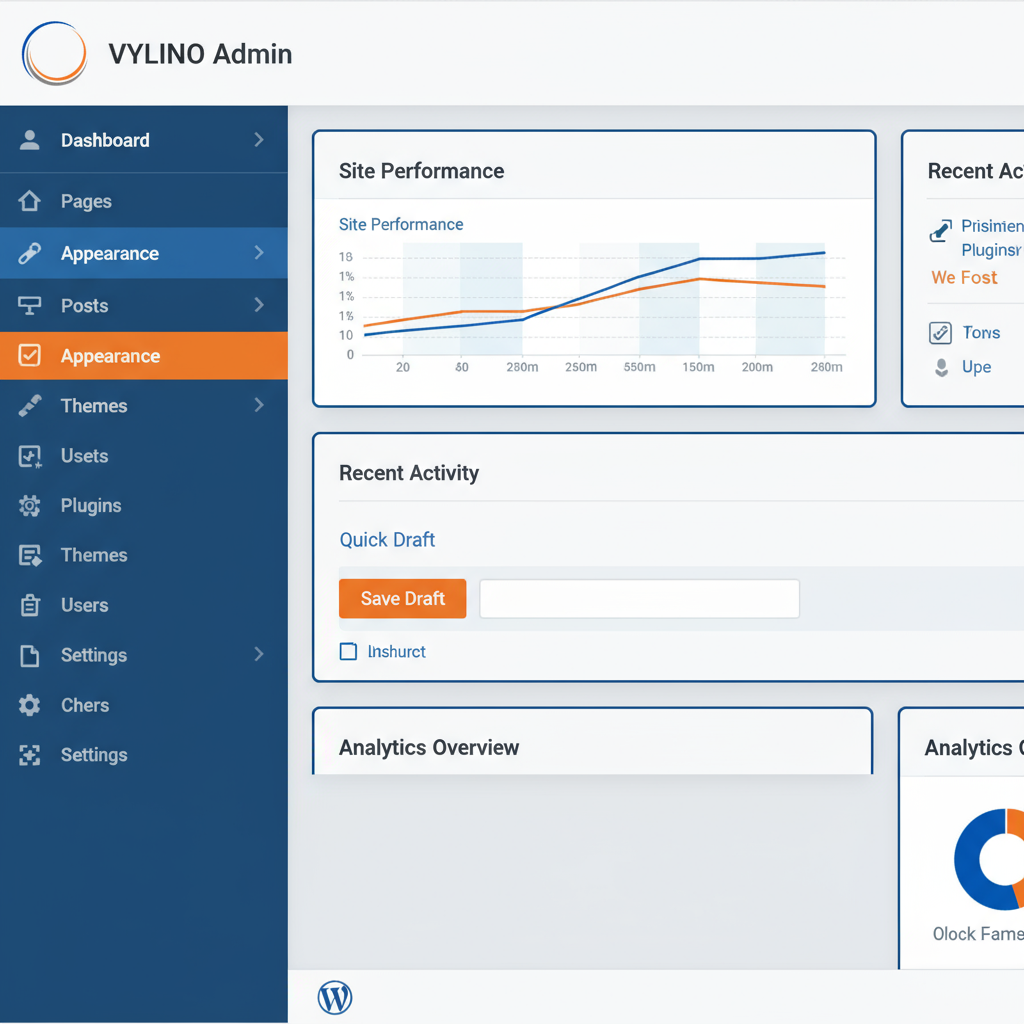
What Does Custom WordPress Development Actually Mean?
“Custom WordPress” can describe several different levels of work. Changing colours and installing a page builder is configuration; creating project-specific code or architecture is custom development.
Custom WordPress development may include:
- A custom block theme or classic theme.
- Custom Gutenberg blocks and patterns.
- A purpose-built plugin.
- Custom post types, taxonomies and structured fields.
- Custom admin screens or editorial workflows.
- API integrations with CRM, ERP, booking, inventory or other systems.
- Custom WooCommerce checkout, pricing or operational logic.
- User roles, permissions and account workflows.
- Search, filtering or directory functionality.
- Performance-sensitive features that generic plugins handle inefficiently.
WordPress itself supports both block themes and classic themes, while the Plugin Developer Handbook provides APIs for custom functionality. The important architectural decision is deciding which responsibility belongs in the theme and which should remain independent of presentation.
Custom Theme vs Custom Plugin vs Custom Block: Which Do You Need?
| Requirement | Usually belongs in | Why |
|---|---|---|
| Brand layout, templates, typography and visual system | Theme | These control presentation |
| Business logic that should survive a redesign | Plugin | Functionality remains available when themes change |
| Reusable editorial component | Custom block/pattern | Editors can reuse structured presentation safely |
| Custom content type such as projects, jobs or properties | Plugin + theme templates | Content remains portable while the theme controls display |
| CRM/API integration | Plugin/integration layer | The integration should not disappear with a visual redesign |
WordPress’s own developer documentation specifically recommends placing custom post types in a plugin rather than a theme so the content remains portable when the theme changes. See the WordPress Custom Post Type documentation.
When Custom WordPress Development Is Worth It
1. Your Workflow Is Unique
Custom development is justified when the website has a process that standard plugins cannot model cleanly.
Examples:
- A multi-step quotation workflow.
- A supplier or customer portal.
- Role-based dashboards.
- Custom approval or publishing workflows.
- Industry-specific calculators.
- Special booking rules.
- Complex product configuration.
If the team currently uses spreadsheets, email and manual copying to compensate for website limitations, custom workflow development may create real operational value.
2. Several Plugins Are Being Forced to Do One Job
Using plugins is not inherently bad. WordPress is designed to be extended. The problem starts when several overlapping plugins are connected with snippets and workarounds to simulate one coherent feature.
Custom development can make sense when it replaces a fragile chain of overlapping tools with one documented implementation.
Before replacing plugins, compare:
- Maintenance responsibility.
- Update frequency.
- Data portability.
- Licensing cost.
- Performance impact.
- Security history.
- Whether the feature is commodity functionality or genuinely unique.
3. You Need Structured Content Instead of Free-Form Pages
Businesses often outgrow page-builder-only content when they need consistent structured records such as properties, courses, doctors, jobs, projects, branches, products, events or team members.
A custom content model can combine:
- Custom post types.
- Taxonomies.
- Structured custom fields.
- Purpose-built templates.
- Filters and archives.
- REST API exposure where required.
This is usually more maintainable than asking editors to reproduce the same layout manually for every item.
4. You Need a Deep Business-System Integration
Custom integration is often appropriate when WordPress must exchange data with a CRM, ERP, inventory platform, booking system, external database, marketing platform or private API.
The real scope is not only “connect API.” A robust integration needs decisions around:
- Authentication.
- Data mapping.
- Source of truth.
- Sync direction.
- Retries and failure handling.
- Rate limits.
- Logging.
- Duplicate prevention.
- Privacy and permissions.
5. WooCommerce Needs Business-Specific Logic
WooCommerce already handles common ecommerce requirements well. Custom code becomes more valuable when the store needs unusual pricing, product configuration, checkout rules, fulfilment logic, account workflows or integrations that maintained extensions do not support cleanly.
For ordinary ecommerce implementation, keep the informational and commercial intent separate by using Vylino’s dedicated WooCommerce development services.
6. Editors Need Better Guardrails
Custom blocks, patterns and structured fields can give editors flexibility without letting every page become visually inconsistent.
This is one of the strongest reasons to customise modern WordPress: developers can build reusable components while content teams keep routine updates inside the editor.
7. The Existing Theme Architecture Is the Constraint
WordPress documentation recognises that extensive child-theme customisation can eventually become difficult to manage; for larger changes, a full theme may be more appropriate on a case-by-case basis. See the WordPress child-theme guidance.
If each new requirement needs another override, hook workaround or fragile CSS patch, the architecture—not WordPress itself—may be the problem.
When You Probably Do Not Need Custom WordPress Development
Custom code adds responsibility. It should not be the default answer.
| Situation | Usually better starting point |
|---|---|
| Standard 5–10 page business site | Well-maintained theme + blocks/page builder |
| Simple contact forms | Established form plugin |
| Standard SEO controls | Established SEO plugin |
| Normal backups and caching | Hosting/platform or established plugins |
| Basic ecommerce | WooCommerce + maintained extensions |
| Common newsletter integration | Official provider integration |
| Minor visual changes | Theme settings, block styles or child-theme adjustments |
A mature developer should be willing to recommend less custom code when an established solution meets the requirement well.
Custom WordPress vs Off-the-Shelf: A Better Comparison
| Question | Off-the-shelf approach | Custom approach |
|---|---|---|
| Launch speed | Usually faster | Usually more discovery and build time |
| Initial cost | Usually lower | Usually higher |
| Standard features | Efficient | Can be unnecessary engineering |
| Unique workflows | May require compromises | Can fit the exact requirement |
| Maintenance | Vendor/plugin updates | Your team/provider owns custom-code maintenance |
| Portability | Depends on vendor architecture | Can be designed deliberately for portability |
| Performance | Can be excellent or poor | Can be excellent or poor |
| Security | Depends on product quality and updates | Depends on code quality, review and maintenance |
Custom does not automatically mean faster, safer or more scalable. A poorly engineered custom plugin can be worse than a mature maintained product. The decision should be based on fit and lifecycle responsibility rather than the word “custom.”
Custom WordPress Architecture: Keep Presentation and Business Logic Separate
A useful rule is:
- Theme: how content is presented.
- Plugin: what the site does.
- Blocks/patterns: how editors compose reusable content.
- Core: do not modify WordPress core files.
This separation reduces the cost of future redesigns because business functionality does not have to be rebuilt simply because the visual theme changes.
For a broader view of CMS, ecommerce, web-app and other development approaches, see Vylino’s guide to the types of website development services.
Security Requirements for Custom WordPress Code
Custom code expands the amount of software your organisation must maintain. Security should therefore be part of the specification, code review and testing process.
Depending on the feature, developers may need to handle:
- Input validation and sanitisation.
- Output escaping.
- Capability and permission checks.
- Nonce verification for relevant requests.
- Prepared database queries.
- Secure REST API permission callbacks.
- Credential/secret storage.
- Dependency management.
- Error handling without exposing sensitive information.
WordPress’s Coding Standards are designed to improve readability, collaboration and modification, and its PHP standards also include security-related best practices. See the WordPress Coding Standards.
Also note an important detail: WordPress nonces help protect requests but are not an authentication or authorisation mechanism; capability checks are still required. The official wp_verify_nonce() documentation makes this distinction explicit.
Performance: Custom Code Is an Opportunity, Not a Guarantee
Custom development can avoid unnecessary features, but only if the implementation is disciplined. Poor custom database queries, unbounded API calls, large JavaScript bundles or inefficient hooks can make a site slower than an off-the-shelf alternative.
Performance planning should cover:
- Database queries.
- External API calls.
- Asset loading.
- Image handling.
- Caching.
- Cron/background jobs.
- Object/transient caching where appropriate.
- Core Web Vitals.
Performance problems should be measured before rewriting software. If the current problem is unclear, start with a website audit instead of assuming custom development is the fix.
Compatibility and Update Strategy
Custom WordPress code lives inside an ecosystem that changes: WordPress core, PHP, browsers, WooCommerce, Gutenberg and third-party APIs all evolve.
A maintainable project should define:
- Minimum supported WordPress/PHP versions.
- Third-party dependencies.
- Staging environment.
- Version control.
- Backup and rollback process.
- Testing before significant updates.
- Who owns post-launch compatibility fixes.
This matters in 2026 because WordPress development continues to evolve around block editing and modern JavaScript while maintaining compatibility with long-established APIs. Recent WordPress developer updates continue to emphasise compatibility testing as platform internals evolve.
How to Scope Custom WordPress Work Before Asking for a Quote
Write the workflow before asking developers to estimate it.
For each custom feature, define:
- User: who performs the action?
- Trigger: what starts the workflow?
- Input: what data is entered or received?
- Rules: what business logic applies?
- Output: what should happen?
- Permissions: who can see or change it?
- Failure state: what happens if an API or payment fails?
- Admin need: what must staff control without a developer?
- Reporting: what needs to be logged or measured?
Clear requirements reduce speculative development and make competing proposals easier to compare.
How to Evaluate a Custom WordPress Proposal
| Ask | What a useful answer should explain |
|---|---|
| Why does this need custom code? | Which standard options were considered and why they are insufficient |
| Where will the code live? | Theme, plugin, block, integration service or combination |
| What data does it create? | Post types, tables, metadata or external systems |
| How will it be tested? | Functional, permission, integration, responsive and regression testing |
| How are updates handled? | Staging, backups, compatibility and rollback |
| Who owns the code? | Source access, repository, licensing and handover |
| What are the dependencies? | Plugins, APIs, services and recurring licences |
| Who maintains it? | Warranty, maintenance scope and support process |
Red Flags in Custom WordPress Development
- Editing WordPress core files.
- Editing third-party plugin files directly instead of extending them safely.
- Putting critical business data/functionality only in a theme without a reason.
- No staging or rollback process.
- No documentation of external dependencies.
- No permission model for admin actions.
- Calling every small visual change “custom development.”
- Promising custom code is automatically secure or fast.
- No plan for future WordPress/PHP/plugin updates.
- No clarity on source-code ownership and handover.
What Should Be Included in the Handover?
A professional custom WordPress handover should make the business less dependent on undocumented knowledge.
- Administrator access.
- Source code or repository access as agreed.
- Deployment instructions.
- List of custom plugins/themes/blocks.
- Third-party services and licence information.
- Environment/configuration notes.
- API and credential ownership details without exposing secrets insecurely.
- Backup and recovery instructions.
- Known limitations.
- Maintenance/support terms.
For ongoing WordPress updates and support after launch, Vylino’s website maintenance and support service covers the operational side separately from this decision guide.
Frequently Asked Questions
What is custom WordPress development?
It is project-specific WordPress engineering such as a custom theme, plugin, block system, content model, WooCommerce extension or API integration created to solve requirements that standard configuration cannot handle cleanly.
Is a custom WordPress theme always better than a premium theme?
No. A maintained premium theme can be the more efficient choice for standard requirements. A custom theme becomes valuable when branding, templates, editorial controls, accessibility or performance architecture genuinely require a tailored solution.
Should custom WordPress functionality be placed in the theme?
Functionality that should survive a visual redesign is generally better placed in a plugin or another independent layer. WordPress specifically recommends registering custom post types in plugins so content remains portable when themes change.
Do more plugins automatically make WordPress slow?
No. Plugin count alone is not a reliable performance measure. One poorly implemented plugin can cause more problems than several efficient ones. Evaluate what each plugin loads, queries and executes rather than using a fixed plugin-count rule.
Is custom WordPress more secure?
Not automatically. Security depends on architecture, coding practices, review, dependencies, permissions and maintenance. Custom code can remove unnecessary dependencies, but it also creates software your team must keep secure and compatible.
When should I build a custom WordPress plugin?
Build one when the site needs durable business functionality or integrations that maintained existing plugins cannot satisfy cleanly. A custom plugin is particularly appropriate when the functionality should remain even if the theme changes.
Can custom WordPress development work with WooCommerce?
Yes. WordPress and WooCommerce can be extended for custom product structures, checkout rules, pricing, accounts, integrations and fulfilment workflows, provided the project respects supported extension points and future update compatibility.
How do I decide between custom development and existing plugins?
Compare requirement fit, maintenance, vendor reliability, licensing, data portability, performance, security, integration complexity and long-term ownership. Use custom code when it solves a real gap—not simply because custom sounds more premium.
Final Takeaway
Custom WordPress development is most valuable where the website has a genuinely specific requirement: structured content, unusual workflows, integrations, advanced ecommerce logic or editorial needs that standard tools cannot satisfy cleanly.
The best custom WordPress project often contains less custom code than expected. It uses WordPress core and mature ecosystem tools where they fit, then adds focused custom engineering only where the business requirement justifies owning and maintaining that code.
If you are still deciding whether WordPress itself is the right platform, continue with Vylino’s WordPress web development benefits and trade-offs guide.


 English
 हिन्दी
 Español
 Français
 Deutsch